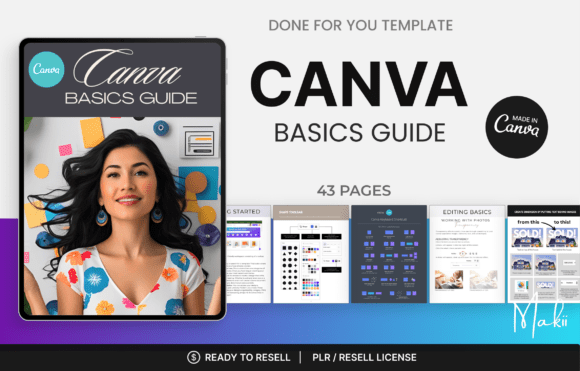
Canva Basics Guide – Learn Canva Design & Editing from Beginner to Confident Creator
New to Canva or looking to improve your design skills? The Canva Basics Guide is a beginner-friendly resource designed to help you understand Canva’s essential tools and explore the creative possibilities of digital design.
Whether you’re a complete beginner, content creator, small business owner, student, freelancer or aspiring digital entrepreneur, learning how to use Canva can make creating professional-looking graphics easier and more enjoyable.
From understanding the Canva workspace to exploring design tools and editing techniques, build your foundation and gain confidence in creating your own digital designs.
Learn the Fundamentals of Canva
Discover the essential concepts and tools that can help you get started with Canva and develop your creative skills.
Explore topics such as:
- Getting started with Canva
- Understanding the Canva workspace and dashboard
- Creating and editing designs
- Working with text, fonts and typography
- Adding and editing photos
- Using grids, frames and design elements
- Adjusting transparency and layering
- Locking and organising design elements
- Duplicating and adding pages
- Managing and organising your projects
Why Choose the Canva Basics Guide?
- Beginner-Friendly Learning: Explore Canva’s essential features through a simple learning approach.
- Understand Design Tools: Become familiar with the tools and functions used in everyday Canva projects.
- Improve Editing Skills: Develop confidence in customising text, images, layouts and design elements.
- Creative Flexibility: Learn the fundamentals needed to create different types of digital designs.
- Save Time: Understand the design process and work more efficiently with Canva.
- Build Design Confidence: Develop a foundation for creating attractive and organised visual content.
Perfect For
- Canva beginners and first-time users
- Aspiring graphic designers
- Social media content creators
- Small business owners and entrepreneurs
- Digital product creators and sellers
- Freelancers and virtual assistants
- Students and educators
- Online business owners
- Digital marketers
- Anyone interested in learning graphic design basics
Explore Your Creative Potential with Canva
You don’t need professional graphic design experience to start creating attractive visual content. Understanding Canva’s essential tools and editing features can help you turn simple ideas into polished designs.
Use your Canva knowledge to explore different creative projects, including social media graphics, presentations, marketing materials, digital planners, ebooks and promotional content.
Start Your Canva Learning Journey
Building design skills starts with understanding the basics. Learn how to navigate Canva, explore its essential editing tools and develop the confidence to create your own digital designs.
Take the first step towards becoming a more confident content creator with the Canva Basics Guide.



Reviews
There are no reviews yet.