Canva Crash Course – Learn How to Use & Edit in Canva | PLR Digital Product Ebook
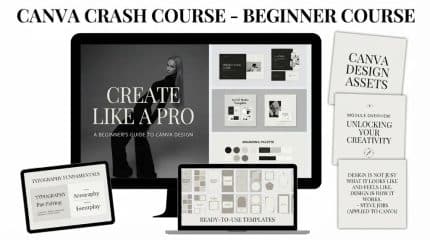
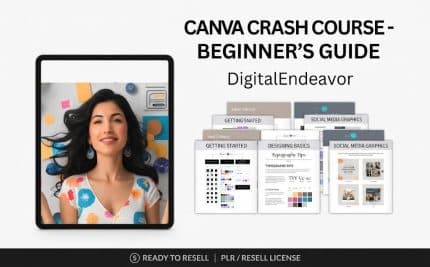
Want to learn how to use Canva and create professional-looking designs? The Canva Crash Course is an educational digital ebook designed for beginners, content creators, entrepreneurs and digital marketers who want to understand Canva’s features and improve their graphic design skills.
Whether you’re completely new to Canva or looking to improve your existing editing skills, this guide provides a starting point for exploring Canva’s design tools, customising templates and creating attractive digital content.
With its PLR and resell rights positioning, this digital product also offers opportunities for entrepreneurs interested in expanding their digital product collections, subject to the included licence terms.
Learn How to Use Canva
Discover the fundamentals of Canva and explore how its design tools can help you create different types of visual content.
Explore topics such as:
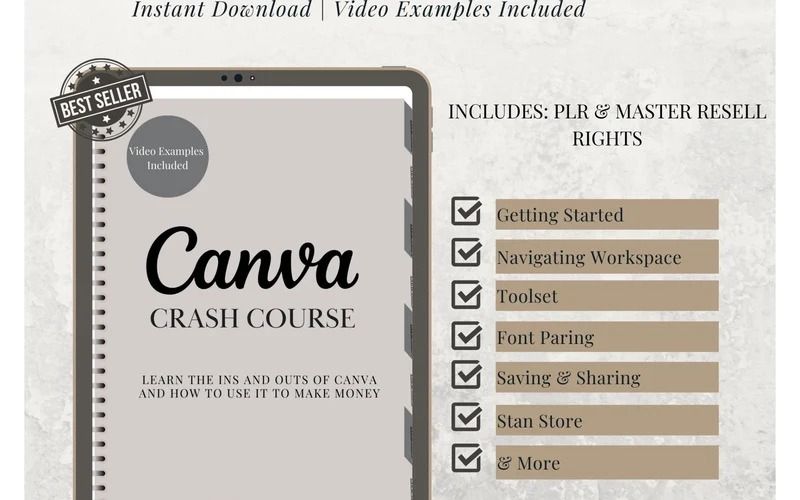
- Getting started with Canva
- Understanding the Canva dashboard and workspace
- Creating designs from scratch
- Choosing and customising Canva templates
- Editing text, fonts and typography
- Adding photos, graphics and design elements
- Working with colours and backgrounds
- Adjusting layouts and arranging design elements
- Creating attractive social media graphics
- Customising designs for personal and business projects
Why Choose the Canva Crash Course Ebook?
- Beginner-Friendly Learning: Understand Canva’s essential features without requiring previous graphic design experience.
- Practical Design Knowledge: Explore Canva tools and editing techniques for everyday design projects.
- Creative Flexibility: Learn how to customise suitable templates to match your preferred style and branding.
- Improve Productivity: Develop a more organised approach to creating digital designs.
- Multiple Design Applications: Apply your Canva knowledge to social media, marketing, presentations and digital products.
- Digital Business Opportunities: Explore the potential of using licensed PLR resources as part of your digital product business.
Explore PLR & Resell Rights Opportunities
Looking to expand your digital product business?
This Canva Crash Course is positioned as a PLR digital product with resell rights, making it relevant to entrepreneurs, digital product sellers and online business owners.
Depending on the accompanying licence, you may be able to:
- Rebrand eligible digital materials.
- Customise permitted content.
- Add the product to your digital product collection.
- Offer it through your online store.
- Include it in relevant digital product bundles.
- Explore resale opportunities under the applicable licence.
Always check the supplied licence for specific editing, resale and redistribution permissions before using or selling the materials.
Perfect For
- Canva beginners and first-time users
- Aspiring graphic designers
- Social media content creators
- Digital marketers
- Small business owners and entrepreneurs
- Freelancers and virtual assistants
- Online course creators
- Digital product sellers and resellers
- PLR business owners
- Anyone interested in learning Canva
What Can You Create with Canva?
Once you become familiar with Canva’s design tools, you can explore different creative projects, including:
- Instagram and Facebook graphics
- Business promotional materials
- Digital ebooks and workbooks
- Professional presentations
- Marketing and advertising designs
- Posters and banners
- Digital planners and journals
- Personal branding materials
Start Learning Canva & Explore Digital Product Opportunities
Canva makes graphic design more accessible by bringing essential creative tools together in one platform. Understanding how to use and edit Canva designs can help you develop new creative skills and produce attractive visual content.
Whether your goal is to improve your design abilities or explore PLR digital product opportunities, the Canva Crash Course offers a starting point for your creative and online business journey.


Reviews
There are no reviews yet.